
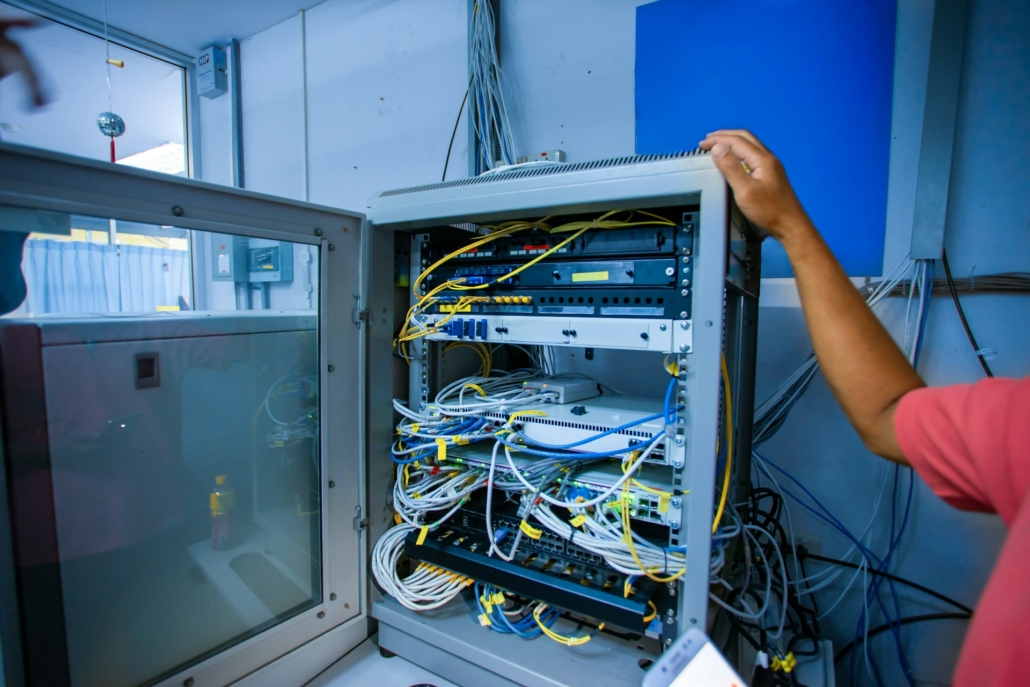
What to Know Before Data Cabling in Brisbane Offices
Many offices around Brisbane are rethinking their network systems. As teams grow and technology updates, slow networks and messy cable setups start to cause problems. That’s why more businesses are looking into better planning for data cabling in Brisbane before making changes or moving things around.
Getting things right before cables go in makes a big difference. It saves time later, avoids costly fixes, and helps teams keep working without interruptions. In this post, we’re sharing what to look out for before work starts and what we double-check every time to make sure the setup suits the space, the season, and the pressure of day-to-day use.
Know Your Current Setup First
Before touching a single cable, it helps to step back and check what’s already there. We’ve seen all kinds of surprises inside ceilings and walls, especially in older Brisbane office buildings. Outdated wiring, patched repairs, or hidden junction points can interrupt even the most planned upgrades.
- Start by reviewing existing cable paths and looking at how many systems are already running
- Watch for older or mixed cable types that might slow down new additions
- Don’t assume everything needs changing, sometimes a few smart upgrades do the trick
It’s common to find older patches that are still working but may cause trouble once new loads are added. By mapping it all out early, we avoid having to backtrack once installation begins.
AZZ Industries is fully licensed to work in commercial environments throughout Brisbane and offers full office fit-outs, including structured cabling, fibre optic data installations, server patch panel connections, and wireless point set-ups as needed for demanding network environments.
Think About Layout and Future Changes
How an office is set up today might not be how it’s used six months from now. We always plan new cabling in a way that keeps things open to future changes. That means thinking through how desks, meeting areas, printers, and servers fit into the daily flow.
- Put cabling where it will still work if furniture or fit-outs move later
- Plan around common chokepoints like lounges, wall-mounted screens, or phone booths
- Build in enough slack and access to make future swaps quick and easy
Smart office plans change fast. If cabling is too rigid, it can become a headache every time someone moves desks or a new hire needs a port. Giving the system room to grow goes a long way in avoiding rewiring every time things shift.
Pick the Right Type of Cable and Equipment
There’s more than one type of cable, and each has its job. Which one we choose depends on the space, the system speed, and what kind of hardware sits at each end. Choosing the wrong type wastes time. It can also cause speed drops or create interference issues across the floor.
- CAT6 is common, but some setups need shielded or fibre options to stop signal loss
- Call out where high-traffic gear like printers, modems, or data cabinets will go
- Use tight-fitting plates, panels, and brackets to keep things from turning into a mess
Every device adds a bit more stress to the system. Clean cabling protects that performance. When things are tidy and grouped well, maintenance and troubleshooting get easier too. It might seem like a small job, but tidy setups make days smoother and networks faster.
We supply advanced network testing, rack organisation, fault resolution, and commissioning for completed projects, ensuring your network speed, security, and hardware reliability are maximised for your business.
Safety and Rules You Can’t Skip
Working with power and data inside tight office spaces brings a few rules with it. Local safety codes mean every line and port has to be checked, labelled, and secured correctly. Skipping these parts can slow down inspections, delay fire safety reviews, or even bring fines.
- Always label cables clearly so workers and maintenance teams know what connects where
- Don’t run low-voltage data lines too close to heavy power lines, this can mess with signals
- Use correct clips, trays, and conduits to keep the lines from sagging or getting pinched
Planning ahead for these steps avoids dramas down the track. They might seem like extra effort now, but in a real emergency, clear cable maps and visible tags can make all the difference.
When Summer Heat Can Be a Factor
February in Brisbane often means hot days, afternoon storms, and high humidity. All of that can cause trouble for fresh installs. Heat slowly wears on outer cable layers. In tight spaces like ceiling cavities, poorly placed cables might sag or overheat.
- Run cables away from roof lines or sun-exposed ducts where heat can build up
- Leave breathing room around gear and plugs so nothing stays packed too tight
- Let systems idle briefly before full power-up to check for heat faults or soft connections
Cable systems don’t like sudden shifts in temperature. That’s why we build in time to test steps gradually. It’s not just about keeping the system live; it’s about knowing that it’ll stay that way no matter how the weather shifts in the coming weeks.
Set Up for Less Hassle Later
When everything lines up, layout, safety, space, and gear, the office runs smoother, and the network stays solid. Planning a step ahead helps us choose cables and paths that last longer and save time in the months that follow.
The best setups are the ones no one notices. No downtime, no tangled backups, no confusion when someone needs to unplug a device. With clean planning and smart checks early on, we get a cabling layout that’s easy to use, easy to adjust, and built to last, even through Brisbane’s wild February forecasts.
No Surprises for Your Brisbane Office Network
When it’s time to improve your office network for better speed and reliability, we can help design and install a streamlined solution that fits your needs. Our approach covers everything from structured plans to quality gear selection and ongoing support. See how we handle data cabling in Brisbane to make your system simpler and more stable. Reach out to AZZ Industries today and let us take care of the details, so your business stays connected and runs smoothly.


